


 Vi
Vi
 En
En
 简体中文
简体中文
 日本語
日本語
'%2F><path%20id%3D'Path_249'%20data-name%3D'Path%20249'%20class%3D'cls-1'%20d%3D'M109.655%2C40h-12.9c-.417%2C0-.759.225-.759.5s.341.5.759.5h12.9c.417%2C0%2C.759-.225.759-.5S110.072%2C40%2C109.655%2C40Z'%20transform%3D'translate(-90.407%20-36.388)'%2F><path%20id%3D'Path_250'%20data-name%3D'Path%20250'%20class%3D'cls-1'%20d%3D'M55.836%2C72h-15.2a.514.514%2C0%2C1%2C0%2C0%2C1h15.2a.514.514%2C0%2C1%2C0%2C0-1Z'%20transform%3D'translate(-36.207%20-65.498)'%2F><path%20id%3D'Path_251'%20data-name%3D'Path%20251'%20class%3D'cls-1'%20d%3D'M211.034%2C104h-2.276c-.417%2C0-.759.225-.759.5s.341.5.759.5h2.276c.417%2C0%2C.759-.225.759-.5S211.452%2C104%2C211.034%2C104Z'%20transform%3D'translate(-191.648%20-94.608)'%2F><path%20id%3D'Path_252'%20data-name%3D'Path%20252'%20class%3D'cls-1'%20d%3D'M40.759%2C105h12.9c.417%2C0%2C.759-.225.759-.5s-.341-.5-.759-.5h-12.9c-.417%2C0-.759.225-.759.5S40.341%2C105%2C40.759%2C105Z'%20transform%3D'translate(-35.952%20-94.608)'%2F><path%20id%3D'Path_253'%20data-name%3D'Path%20253'%20class%3D'cls-1'%20d%3D'M55.836%2C136h-15.2a.536.536%2C0%2C1%2C0%2C0%2C1.055h15.2a.536.536%2C0%2C1%2C0%2C0-1.055Z'%20transform%3D'translate(-36.207%20-123.279)'%2F><%2Fsvg>)


Log-in Information
Đấu giá mới nhất


_page_005.jpg)
_page_006.jpg)
_page_007.jpg)
FORGOT LOGIN PASSWORD
Step 1: Click the "Forgot password" button on the sign-in screen

iBoard Web displays instructions for downloading the iBoard Pro app by scanning a QR code or downloading it from the App Store / Google Play
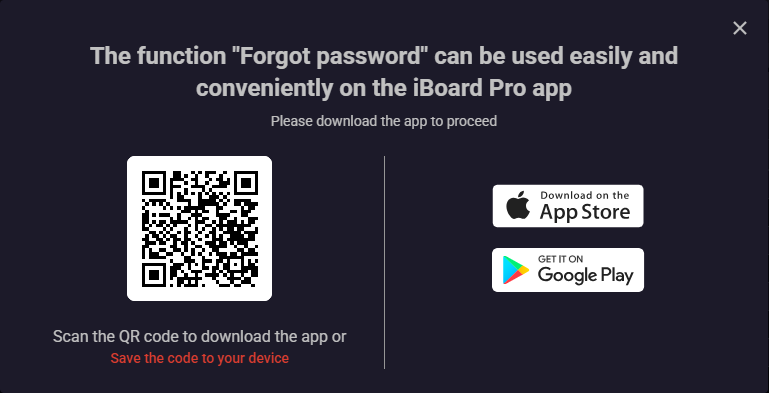
Step 2: The system will automatically direct you to the Forgot Password screen on the iBoard Pro application so that you can create a new password.
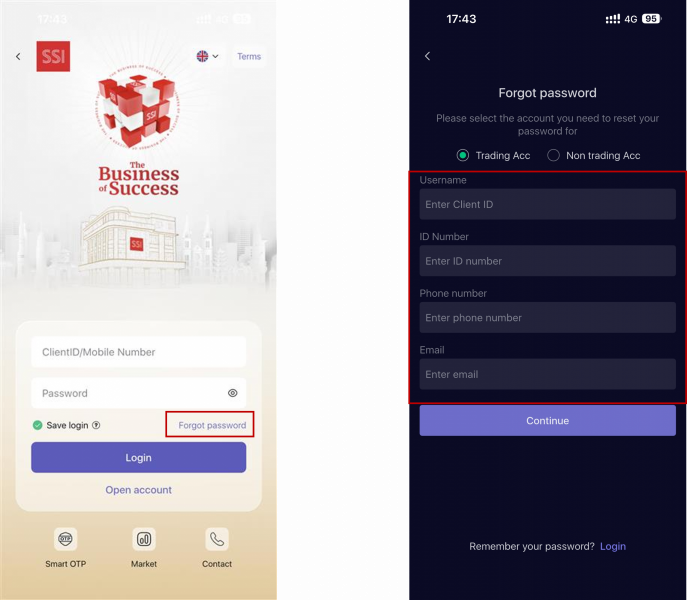
Step 3:: Enter the customer information registered with SSI, including: Customer ID, ID number, Phone number, then tap “Continue”
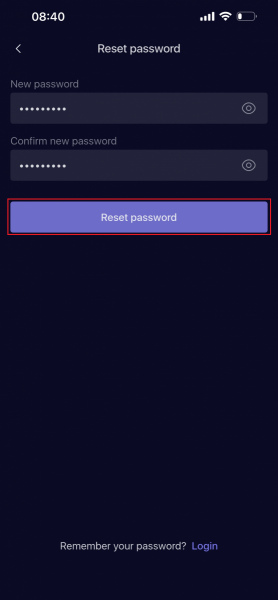
Customers using Smart OTP authentication:
-
On a device registered for Smart OTP:
Enter the Smart OTP PIN and authenticate using the Smart OTP code.
If you forget the Smart OTP PIN, select “Forgot PIN” and enter the verification code sent via SMS or Email. -
On a device not registered for Smart OTP:
Enter the verification code retrieved from the device already registered for Smart OTP, or choose another authentication method and enter the verification code sent via SMS or Email.
Customers using SMS authentication:
- Enter the verification code sent via SMS or Email.
CHANGE PASSWORD
Step 1: Log in to account on iBoard Web > Select “Account”> Select "Change password"

Step 2: On tab "Change password", Enter the Old Password and New Password information, select the channel to receive the authentication code via Phone Number/Email, click button "Get verification code"
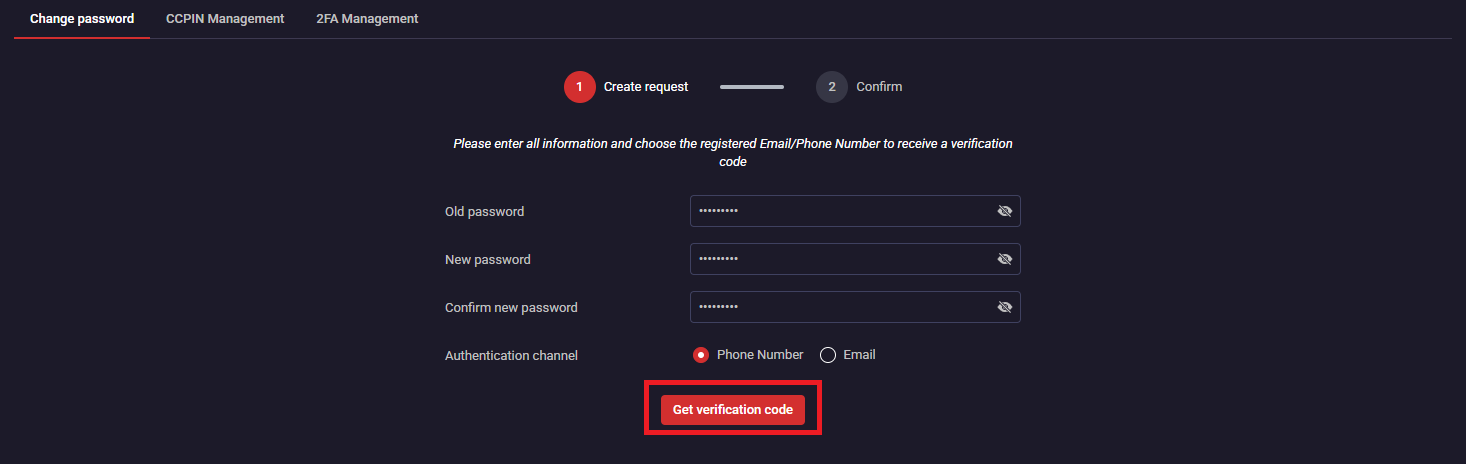
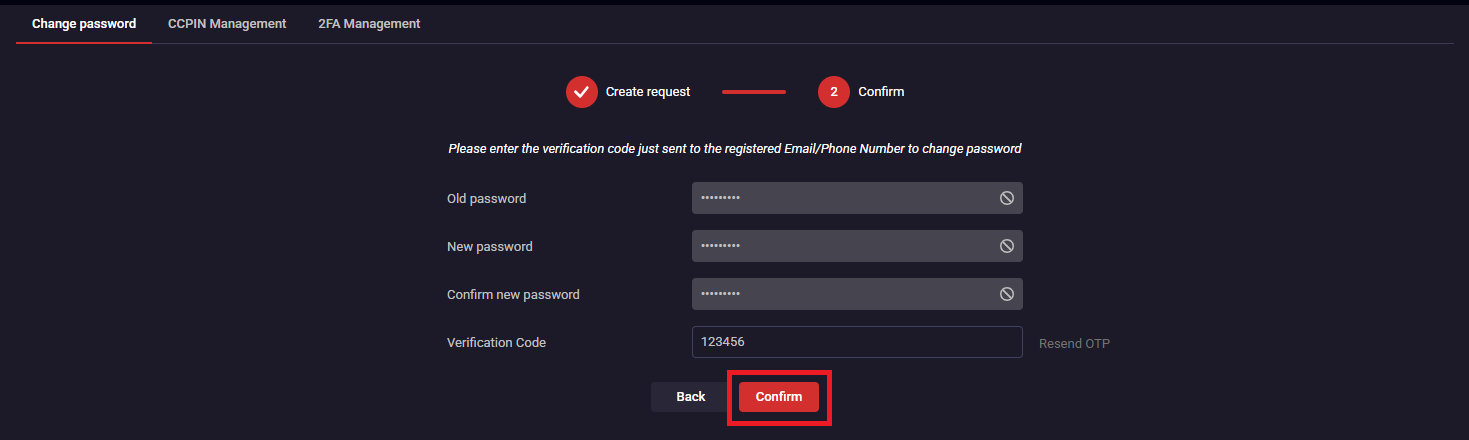
Step 3: Enter the verification code via Phone Number/Email and click "Confirm" to complete the request
The Menu function on iBoard Web has been structuyred with the following purposes:
- Regroup functions according to transaction needs for easy search for customers
- Adding brief explanations to help customers recognize the meaning of each function screen
.png)

.png)

